
Cute. Now squat.
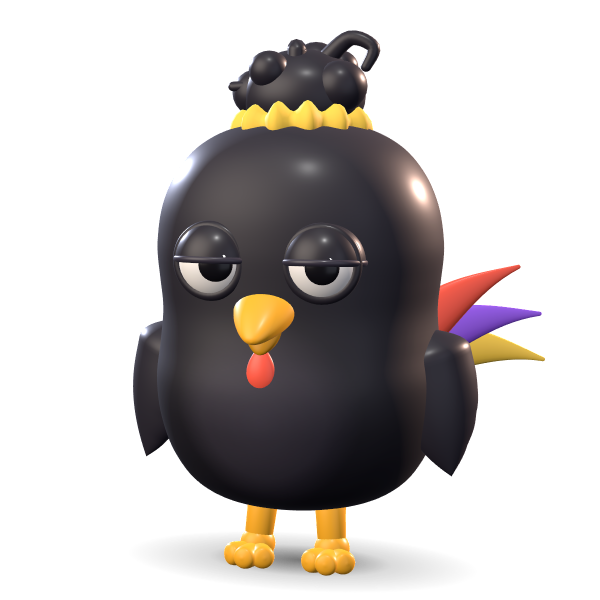
Rico. Deadpan. Loyal.
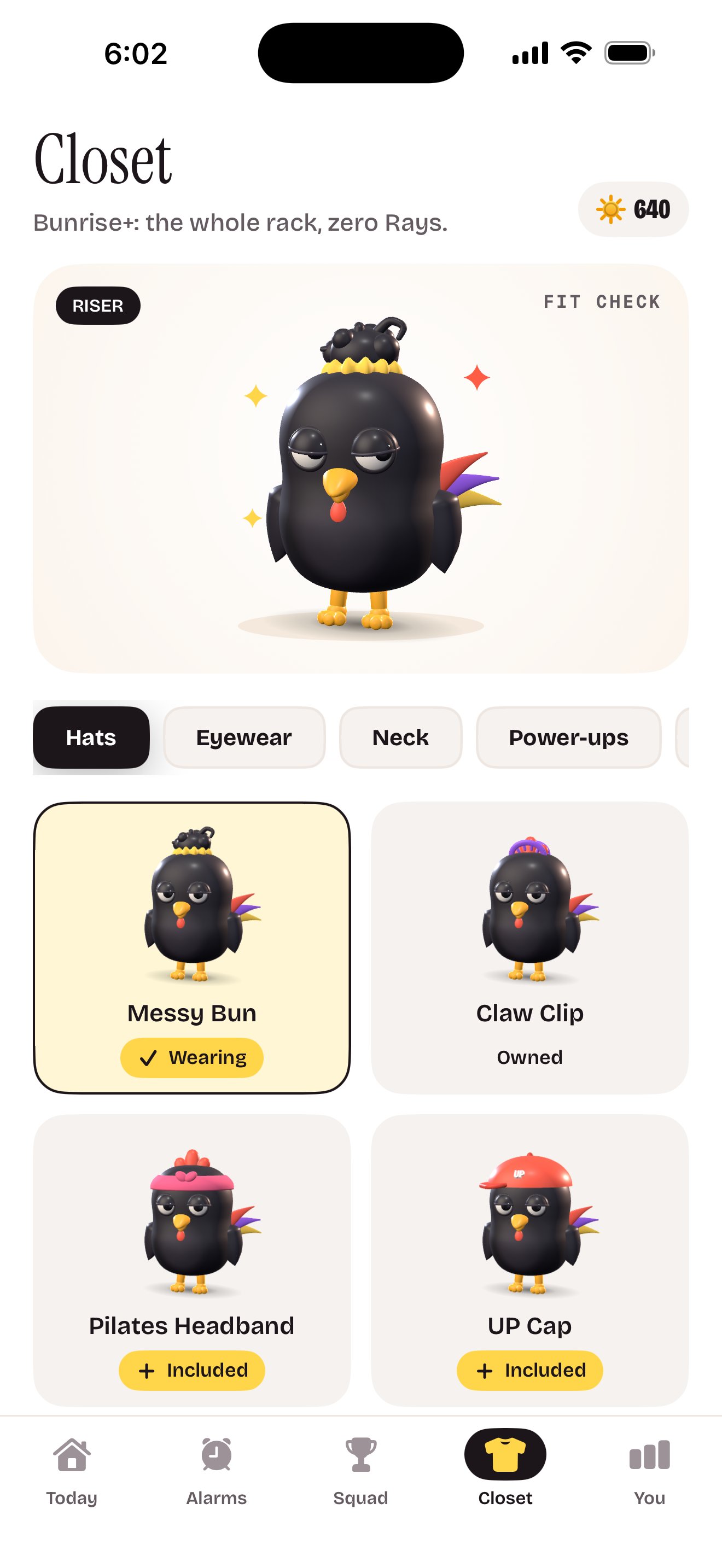
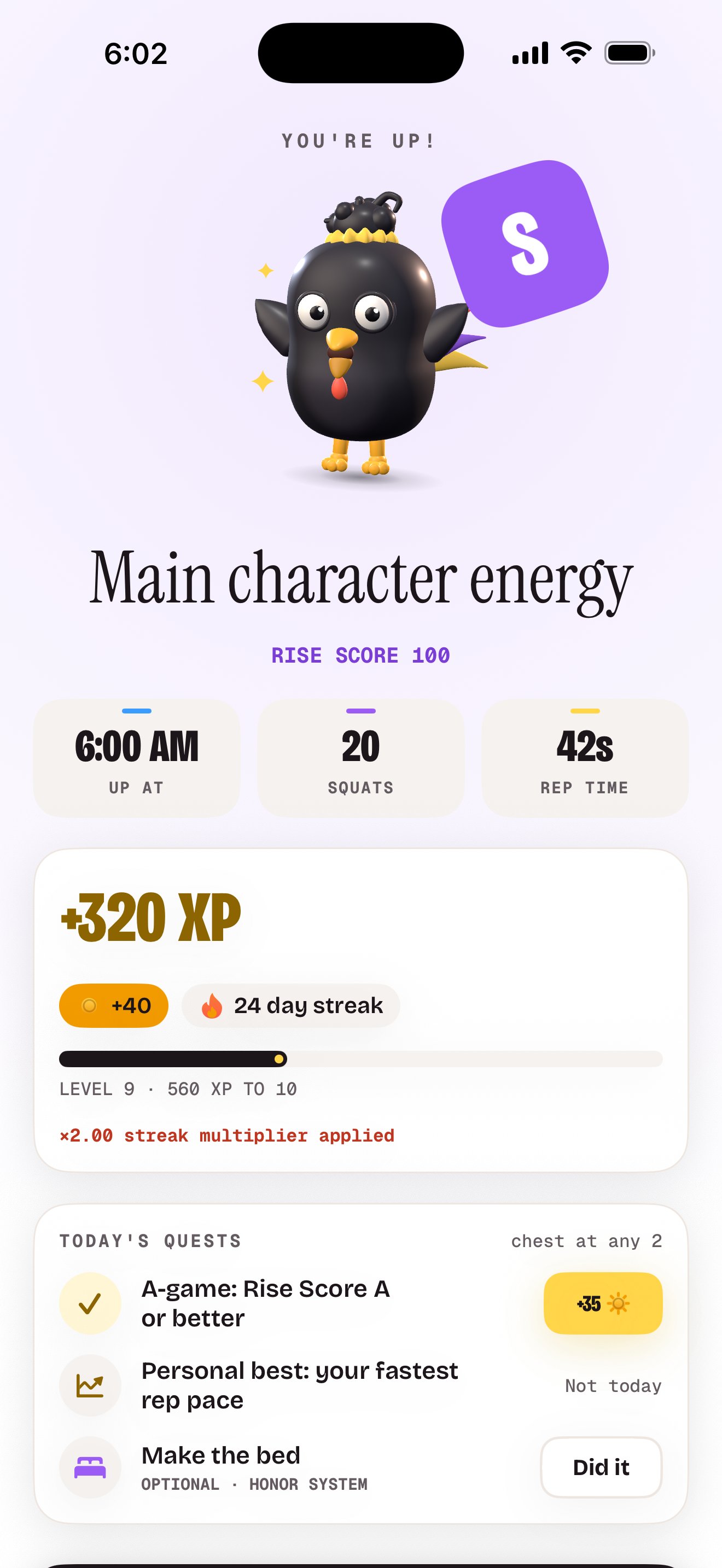
A black rooster with a flat stare and no interest in your excuses. He ranks up as you rise, and he has a closet of fits to prove it, starting with the messy bun.
Alarm clock for iPhone
The alarm that stops when you squat. No snooze button. The camera counts your reps, right on your phone.
Snooze is not a personality.
How it works
You set the terms the night before. Morning you doesn’t get a vote.
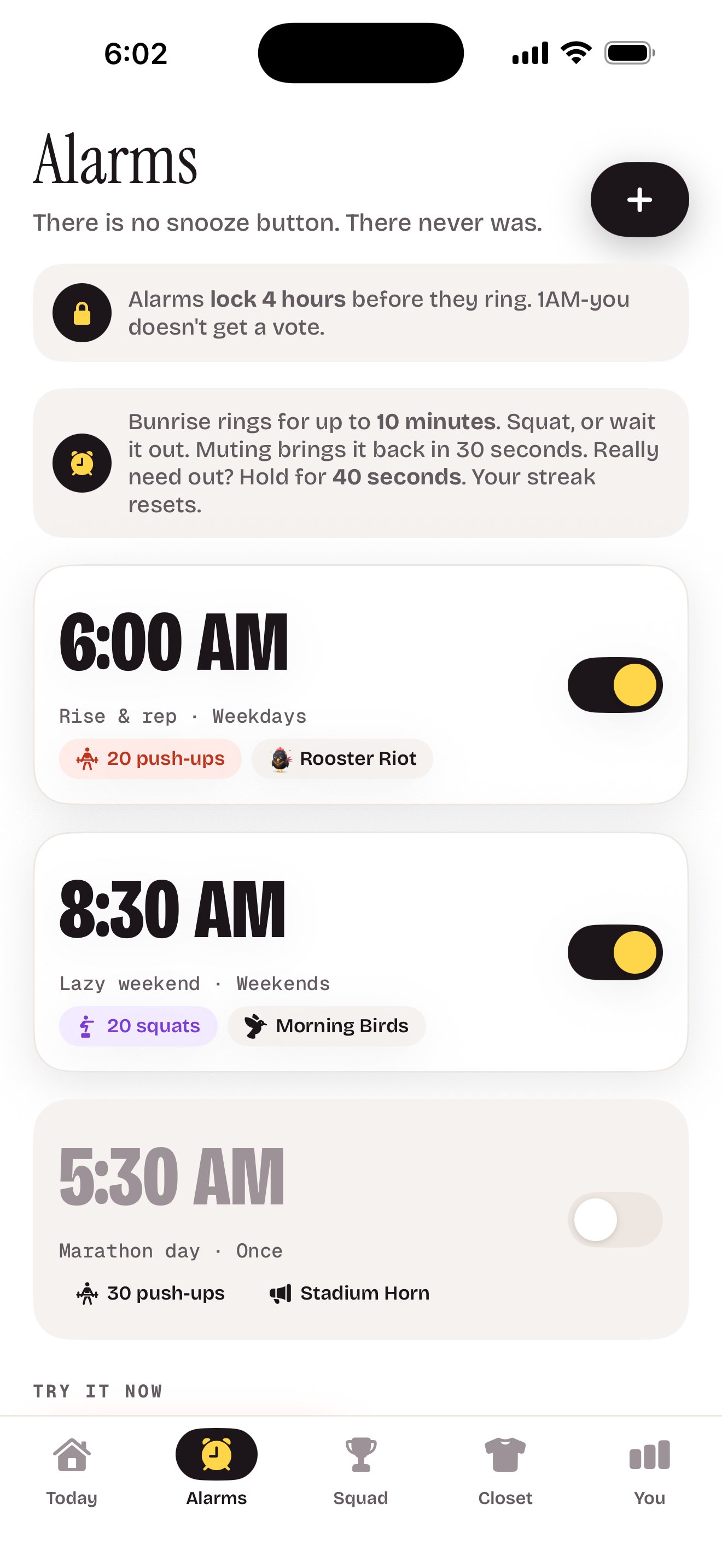
Pick a time, squats or push-ups, and how many: 5 to 100. Alarms lock 4 hours before they ring, so 1 a.m. you can’t cancel them.
A real iOS alarm. It rings through Silent mode and Focus and shows up on your Lock Screen. There’s no snooze button. There never was.
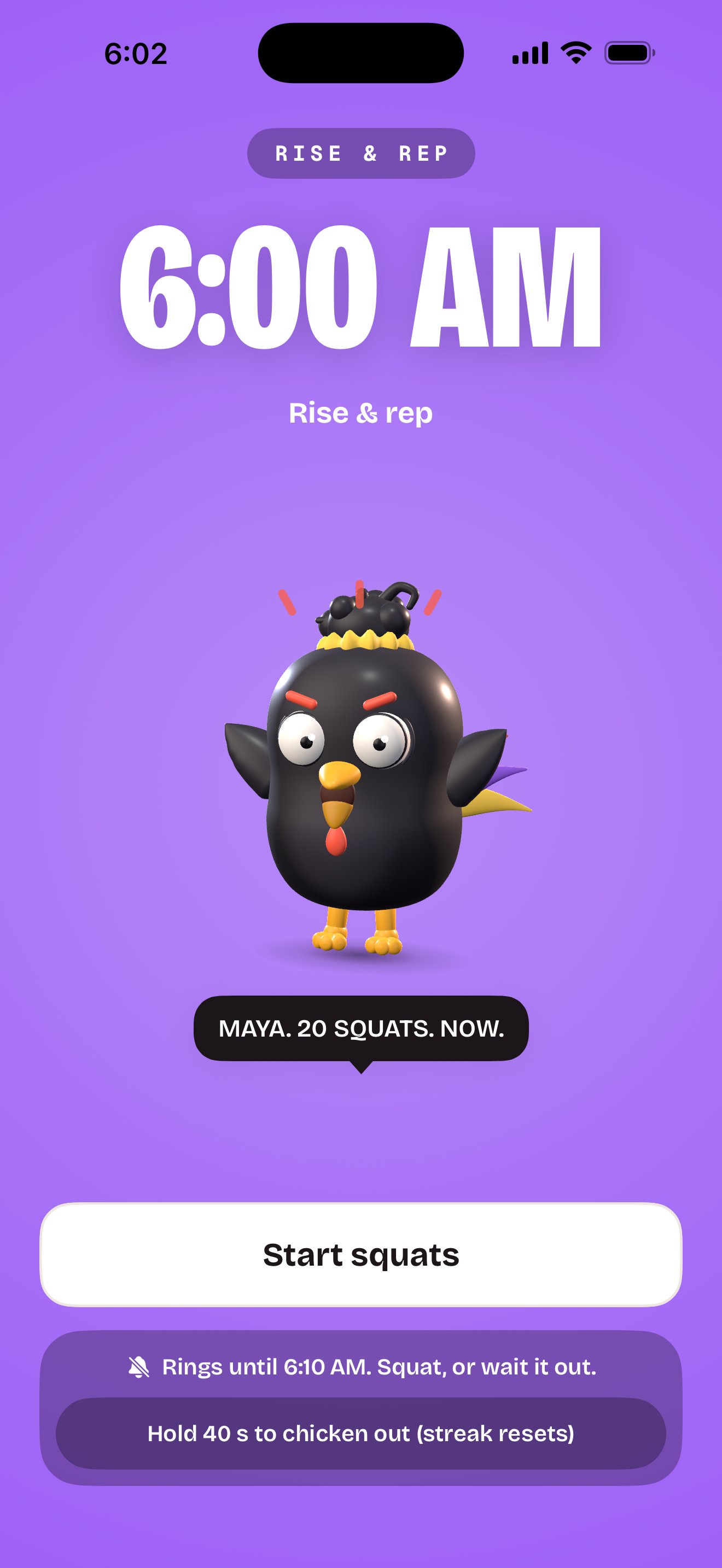
Prop up your phone, hold your start position until you see GO, then rep it out. The camera counts every squat or push-up on your phone. Half reps don’t count.
The 10-minute rule
Bunrise rings for up to 10 minutes. Muting brings it back in 30 seconds. Really need out? Hold for 40 seconds. Your streak resets.
A real iOS alarm, through Silent mode and Focus. No snooze button to find.
Side button, volume button, leaving the app: each one buys you 30 seconds. Then it’s back.
Your streak grows, the XP lands and Rico nods. Barely.
Ten minutes in, it stops for good. The morning counts as slept through, and your streak resets unless a Streak Freeze covers it.
“You can wait it out. I’ll wait too.”
What’s inside
A deadpan coach, a streak worth protecting and a little mercy when you need it.
Cute. Now squat.
A black rooster with a flat stare and no interest in your excuses. He ranks up as you rise, and he has a closet of fits to prove it, starting with the messy bun.
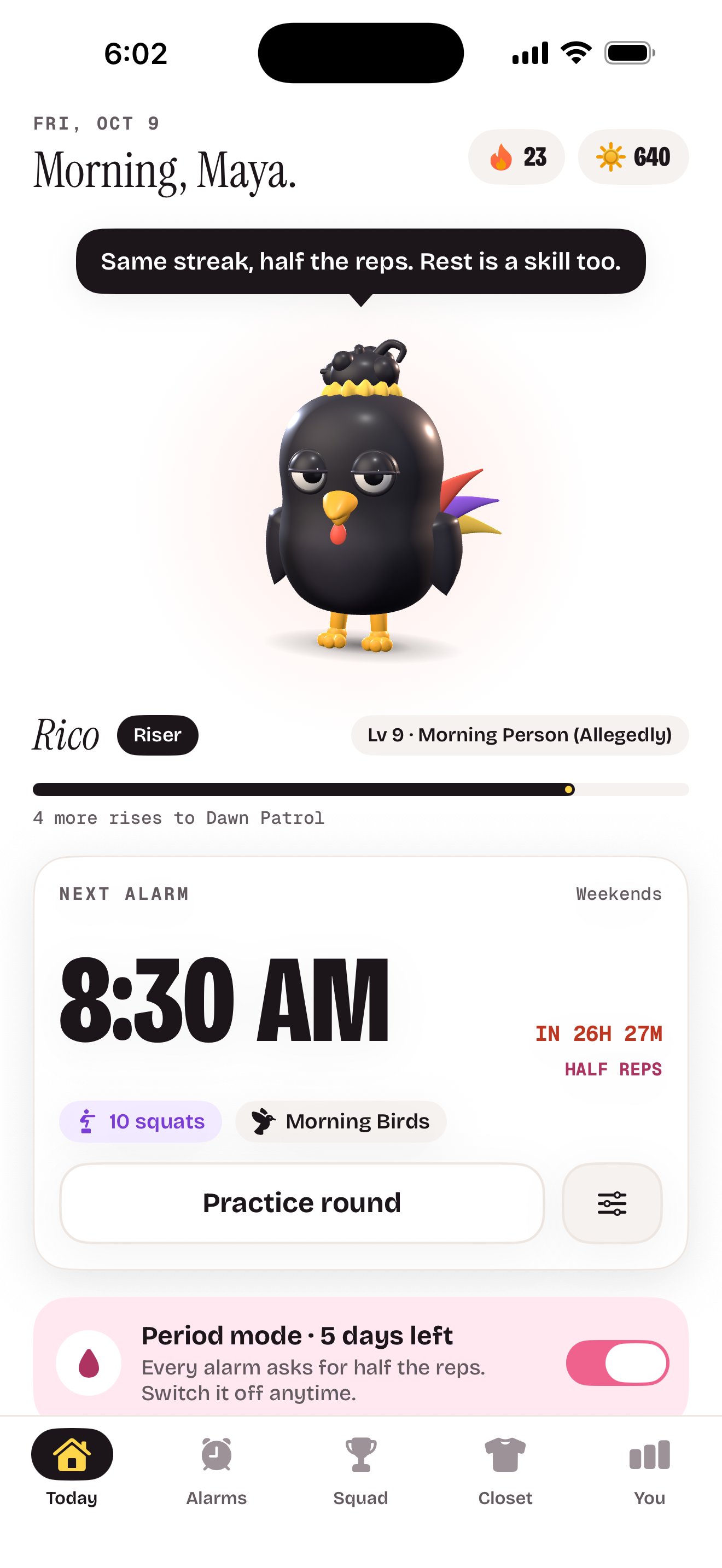
Switch on period mode and every alarm asks for half the reps, never fewer than 5. After 5 days it switches itself off. Only its end date is saved, on your phone.
A Rise Score from S to D every day. Streaks, XP, levels and badges like 5AM Club. A Streak Freeze covers the day life happens.
Send a wake-up duel link: your move, your reps, before your alarm time. They tap it, they rep. Loser buys coffee.
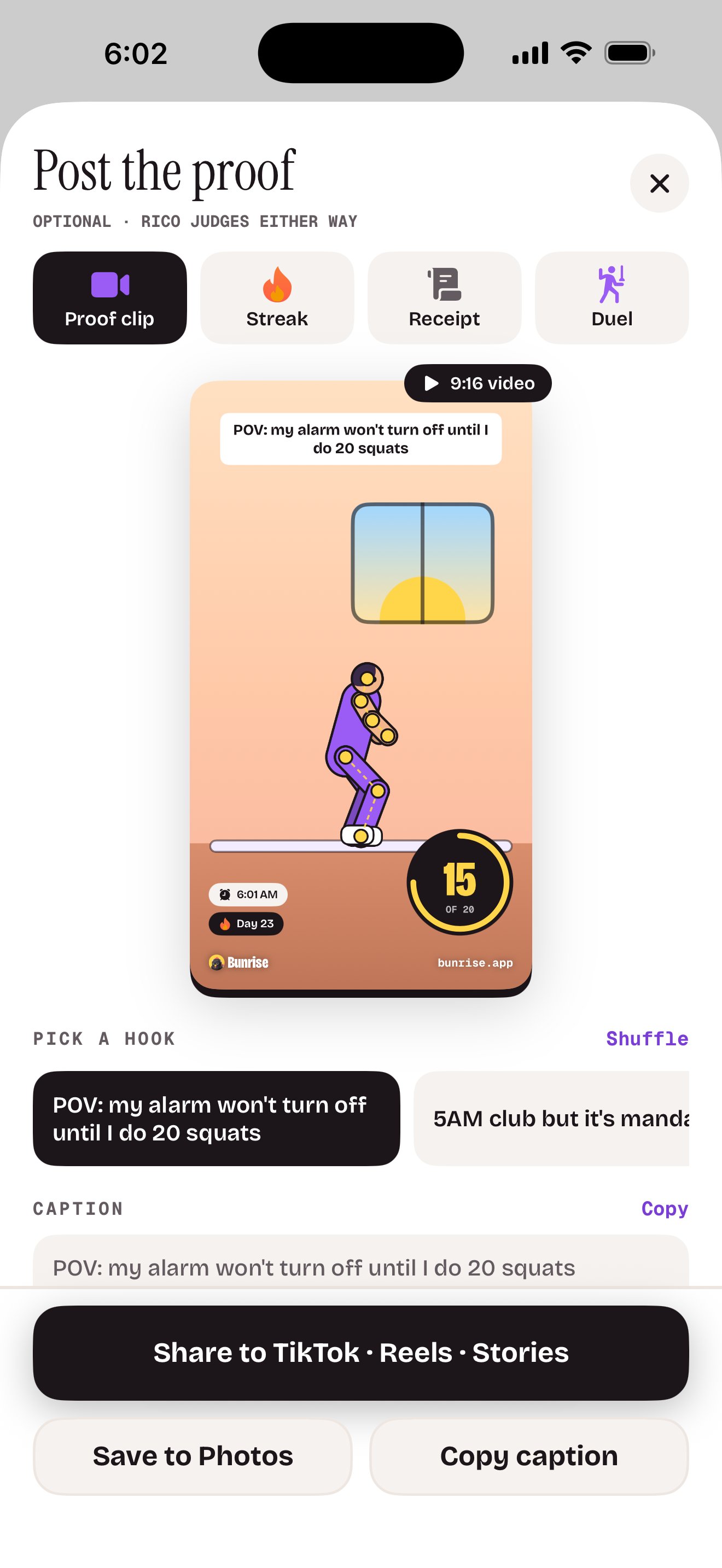
With proof clips on, every rise records a short, silent clip of your reps and cuts it into a vertical video with your grade. Post it, save it or keep it private: it stays on your phone unless you share it. Rather not be filmed? Switch clips off and the camera just counts.
While an alarm rings, Bunrise lives on your Lock Screen and in the Dynamic Island. The Rise widget keeps your streak and next alarm in view.
Privacy
Bunrise watches you squat, so here’s exactly what happens to the footage: nothing leaves your phone unless you send it.
Camera frames are processed on your iPhone and never uploaded. Not to us, not to anyone.
Proof clips stay on your phone unless you share them, and you can switch them off. Saving to Photos is add-only, so Bunrise can’t look through your library.
No sign-up, no analytics, no ad identifiers. Your alarms, streaks and period mode stay on your phone.
Apple takes the payment. RevenueCat checks your Bunrise+ status with a random ID, never your name or email.
Pricing
Then it’s Bunrise+: the whole app, one subscription. Pick yearly or weekly when you start, and cancel anytime. There’s no free plan. Rico doesn’t do tiers.
$29.99 / year
About $0.58 a week, billed once a year.
3 days free, then $29.99 a year.
$9.99 / week
Billed every week. Same app, shorter commitment.
3 days free, then $9.99 a week.
Auto-renews. Cancel anytime in Settings.
US prices. Local prices are shown in the app before you buy. Bunrise is free to download, and using it requires Bunrise+, an auto-renewing subscription billed to your Apple Account. The 3-day free trial is for eligible new subscribers, once per Apple Account across both plans. When the trial ends, the plan you picked starts and renews at the same price for the same period until you cancel. To avoid the next charge, cancel at least 24 hours before the trial or current period ends, in iPhone Settings › your name › Subscriptions. If your subscription ends, alarms you already set keep ringing (you can still squat them off), and the app has a button to turn them off. See the Terms of Use.
Only if you want it to. The camera counts your reps on your iPhone, and the frames are never uploaded. With proof clips on, Bunrise records a short, silent clip of your reps, starting at GO, so you can post the proof if you want to. Practice rounds and test rings never record.
You choose during setup, and you can switch clips off anytime in Settings: then the camera just counts and nothing is recorded. A clip stays on your phone unless you share it or save it to Photos. Nothing is ever posted for you.
Not with a snooze button. When it rings, do your reps and it stops. Mute it and it’s back in 30 seconds. To bail, press and hold the chicken-out button for 40 seconds; your streak resets. After 10 minutes it gives up on its own, and the morning counts as slept through: your streak resets unless a Streak Freeze covers it.
The alarms themselves you can switch off or delete in the app anytime, except in the 4 hours before they ring. After each edit you get 5 minutes to change your mind.
Bunrise is free to download. To use it, start Bunrise+ with a 3-day free trial at the end of setup. Then it’s $29.99 a year (about $0.58 a week) or $9.99 a week. There’s no free plan. Cancel at least 24 hours before the trial ends and you won’t be charged.
If your trial or subscription ends, Bunrise shows the Bunrise+ screen when you open it. Alarms you already set keep ringing, and you can still squat them off, or tap “Turn off my alarms” on that screen.
Period mode halves your alarm reps (never fewer than 5) for 5 days, then switches itself off. Switch it on from the Today tab or in Settings. Only its end date is saved, on your phone.
Sick or hurt? Switch tomorrow’s alarm off or lower the reps more than 4 hours before it rings. If you wake up unwell, skip the reps: hold the chicken-out button for 40 seconds, or let it ring out. No streak is worth an injury.
Not in pitch black. The camera needs to see you, so switch on a lamp. If the room is too dark, Bunrise tells you to turn on a light.
Yes. Every alarm has its own move, squats or push-ups, and its own rep count. For push-ups, stand your phone on the floor about an arm’s length in front of you. For squats, lean it upright about 2 metres (6 feet) away, so you’re in frame head to toe.
No. No sign-up, no login. Everything lives on your phone, and Bunrise+ is tied to your Apple Account.
Any iPhone with iOS 26 or later.
Tomorrow, 6:00 a.m.
Coming soon to the App Store
Free to download. 3-day free trial, then $29.99 a year or $9.99 a week. No account. iPhone with iOS 26.